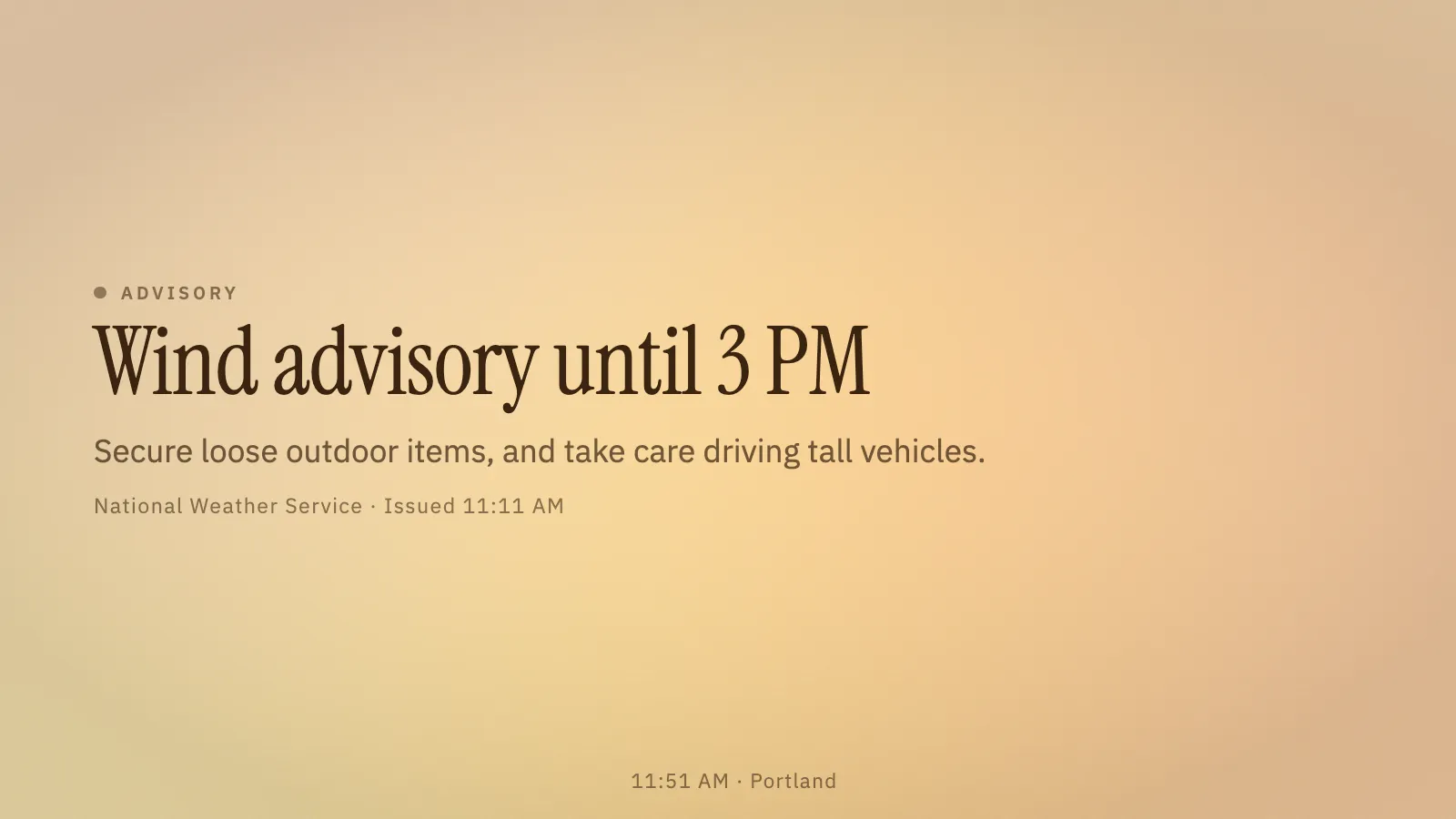
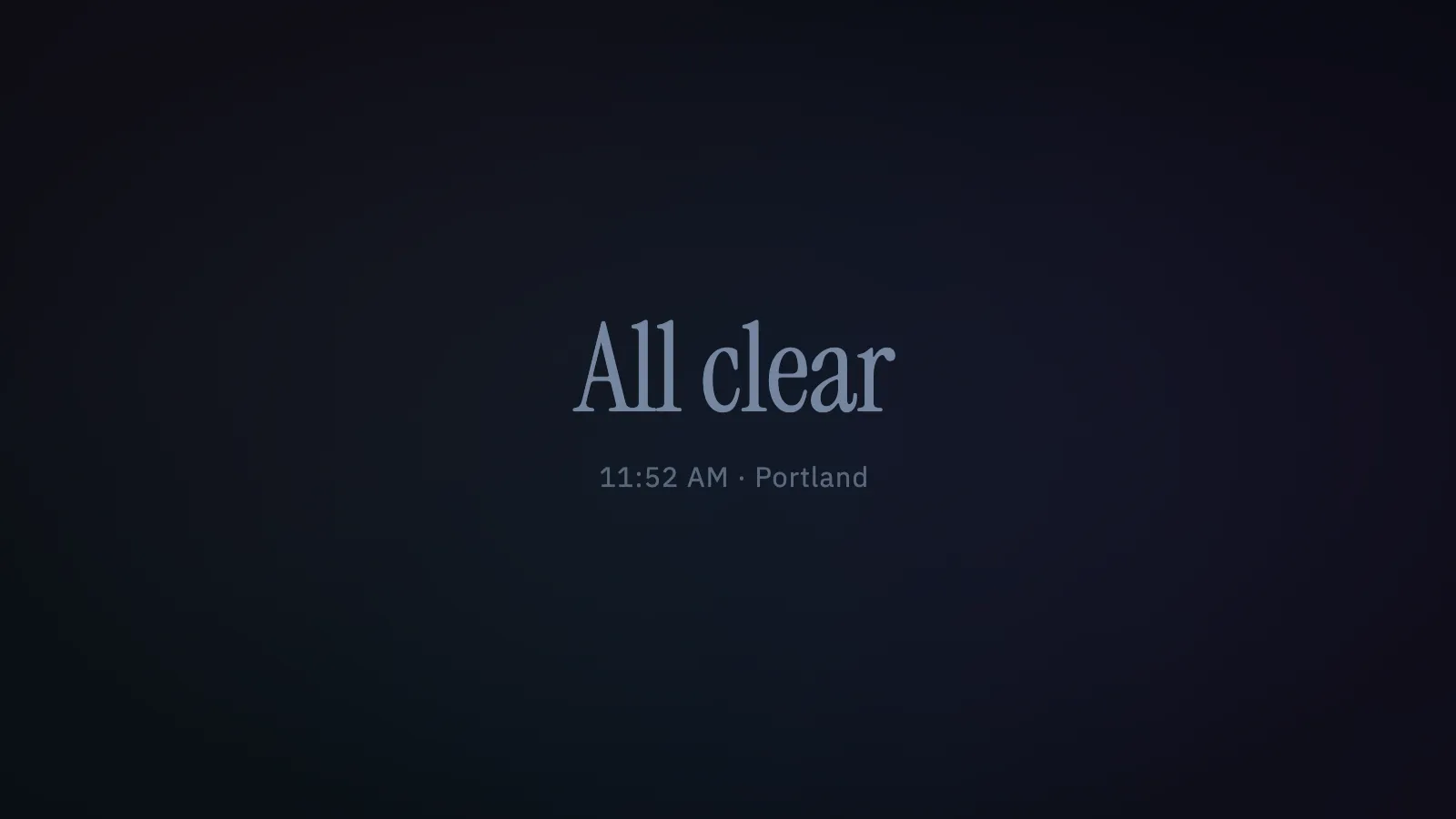
A calm, nearly empty screen that speaks up only when something nearby needs attention — a weather warning, an earthquake, smoky air. When all is well it shows one quiet line, the time and the place, on a slowly shifting field of soft colour. When an alert does apply to your place it becomes a large plain headline, one line about what to do, and who said so. It is a convenience, not a safety system: follow official alerts and local advice.
CalmThe whole display when nothing needs you: one line, the time and the place.AlertA sample wind advisory, from the setup page’s preview — no storm needed.NightNear black and very dim, for a bedroom or a hallway.
Where the alerts come from
Weather warnings, watches and advisories come from the US National Weather Service, earthquakes from USGS, and air quality (wildfire smoke included) plus optional heat, cold and wind limits from Open-Meteo, whose name appears on the alerts it supplies (CC BY 4.0). Weather warnings are US-only; elsewhere earthquakes, air quality and the forecast limits still work. All of it is fetched straight from the browser, with no server of ours in between.
Silence is never an all clear
The words appear only when every watched source has answered recently. If the network or a source goes quiet the screen turns grey and dotted and says it can’t reach alerts — it never claims all is well on the strength of no news. Colour is restrained: amber for advisories and watches, a deeper tone for warnings, red only for the extreme.
What it wants
A place. There is no default, because an all clear for a place nobody chose would be a lie. Then you decide what matters: the weather level, the earthquake magnitude and distance, an air-quality threshold, and optional heat, cold and wind limits. A soft chime for new alerts is off unless asked for, and stays silent until the screen has been tapped once.
Setup
Put All Clear on a screen.
A browser is genuinely enough — the Mac app and Fully Kiosk below are conveniences, not requirements.
Any screen
nothing to install
Open the display in whatever browser the screen already has.
Go full screen: F11 on Windows and Linux, ⌃⌘F on macOS.
Or give it a browser of its own, which is what a dedicated panel wants: chrome --kiosk <url> — on macOS, open -a "Google Chrome" --args --kiosk <url>.
Turn off display sleep in the machine’s power settings and walk away.
Works on anything with a browser
Mac desktop
LivingKiosk app
Get the app and its install steps at livingkiosk.com/mac. It isn’t notarized yet, so macOS asks you to approve it once.
Menu bar → Library… and pick a display for each screen.
Configure… on any screen for its reload schedule, dim, and saved configs.
Displays are ordinary web pages, so anything that can hold one open works: a Raspberry Pi on a monitor, a retired iPad, a Fire tablet, the browser built into a TV.
Configuration
URL parameters.
Everything below, plus a live preview and a URL builder that writes the link for you, is at all-clear.livingkiosk.com/setup.
Parameter
Default
Meaning
lat, lon
—
The place. Both or neither. With none, the screen says “Choose a place” and watches nothing.
place
the coordinates
What the place is called.
tz
the screen’s own
An IANA zone for the clock and every time shown.
units
us
metric for °C, km/h and kilometres.
clock
12 (us) / 24
12 or 24.
theme
calm
night: near black and very dim.
weather
on
off hides US weather warnings, watches and advisories.
min
advisory
warning hides advisories and watches.
quake
4
Minimum earthquake magnitude (2.5–8), or off.
radius
100 mi / 160 km
Earthquake distance, 10–1000 miles (15–1600 km).
aqi
100 (US) / 60 (EU)
Speak up above this air-quality index, or off. scale picks us or eu.
heat, cold, wind
off
Feels-like temperature above or below, or gusts above, which to speak up about. on uses 100°F / 20°F / 45 mph. Looks six hours ahead.
chime
0
1 for a soft two-note chime on a new or worsening alert. Silent until the screen has been tapped once.
demo
—
A sample instead of real data, with no network use: wind, quake, aqi, heat, extreme, stack or offline.
dim
0
Black scrim over everything, 0 to 0.8 (fleet-wide convention).
All Clear is open source under the MIT licence. Run it yourself with one command. The source opens to the public soon.